Help Center
Get started with NodeCoreX: manage nodes, handle payments, join community nodes, and get support.
Getting started
1
Nodes & Store
Manage nodes and browse the store
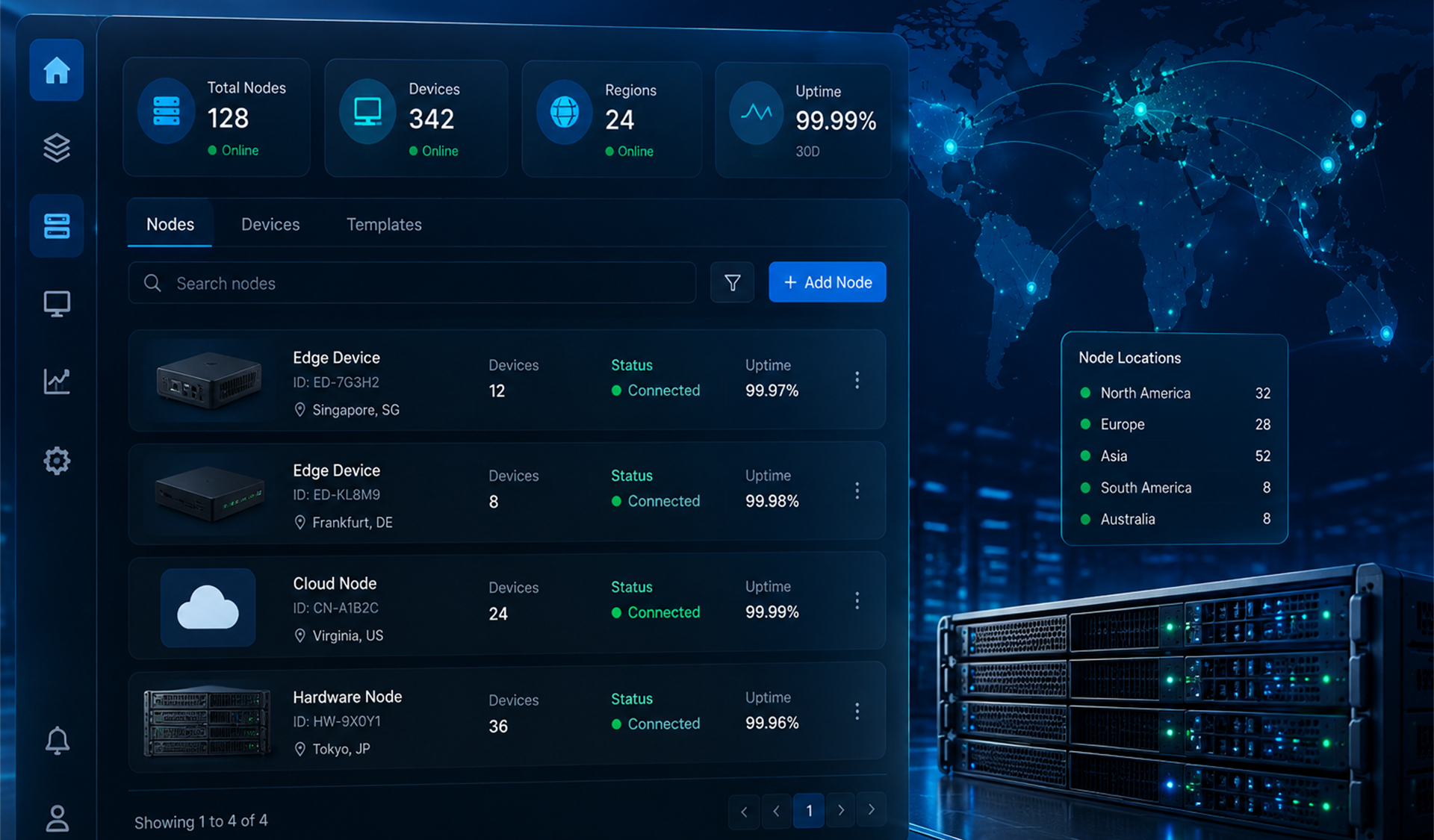
- Go to Nodes in the sidebar and open Node Store to browse and purchase nodes.
- Use My Nodes to see your connected nodes and manage them.
- Connect and register your nodes to start earning from ad tasks.
Tip Keep your nodes online and within the allowed regions to maximize task success rate.
2
Deposit & Withdraw
Add funds, withdraw, and view transactions
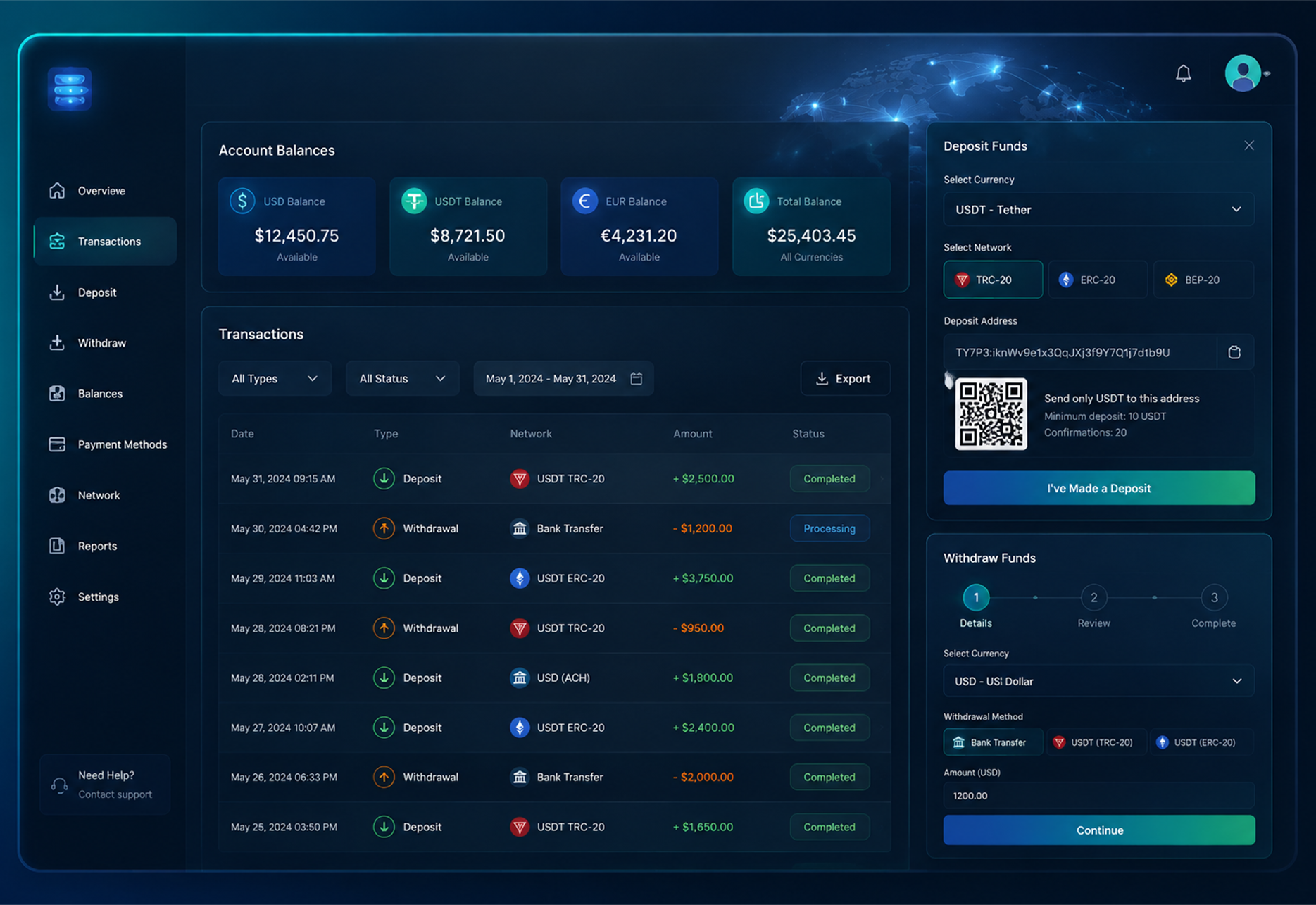
- Go to Finance → Transactions to view your balance and history.
- Click Deposit to add funds.
- Use Withdraw to transfer your balance to your preferred payout method.
- Check Transactions for a full record of deposits, withdrawals, and point changes.
Tip Deposits may take a short time to confirm. Keep your deposit order ID or wallet address for support if needed.
3
Gift Cards
Redeem gift cards with points
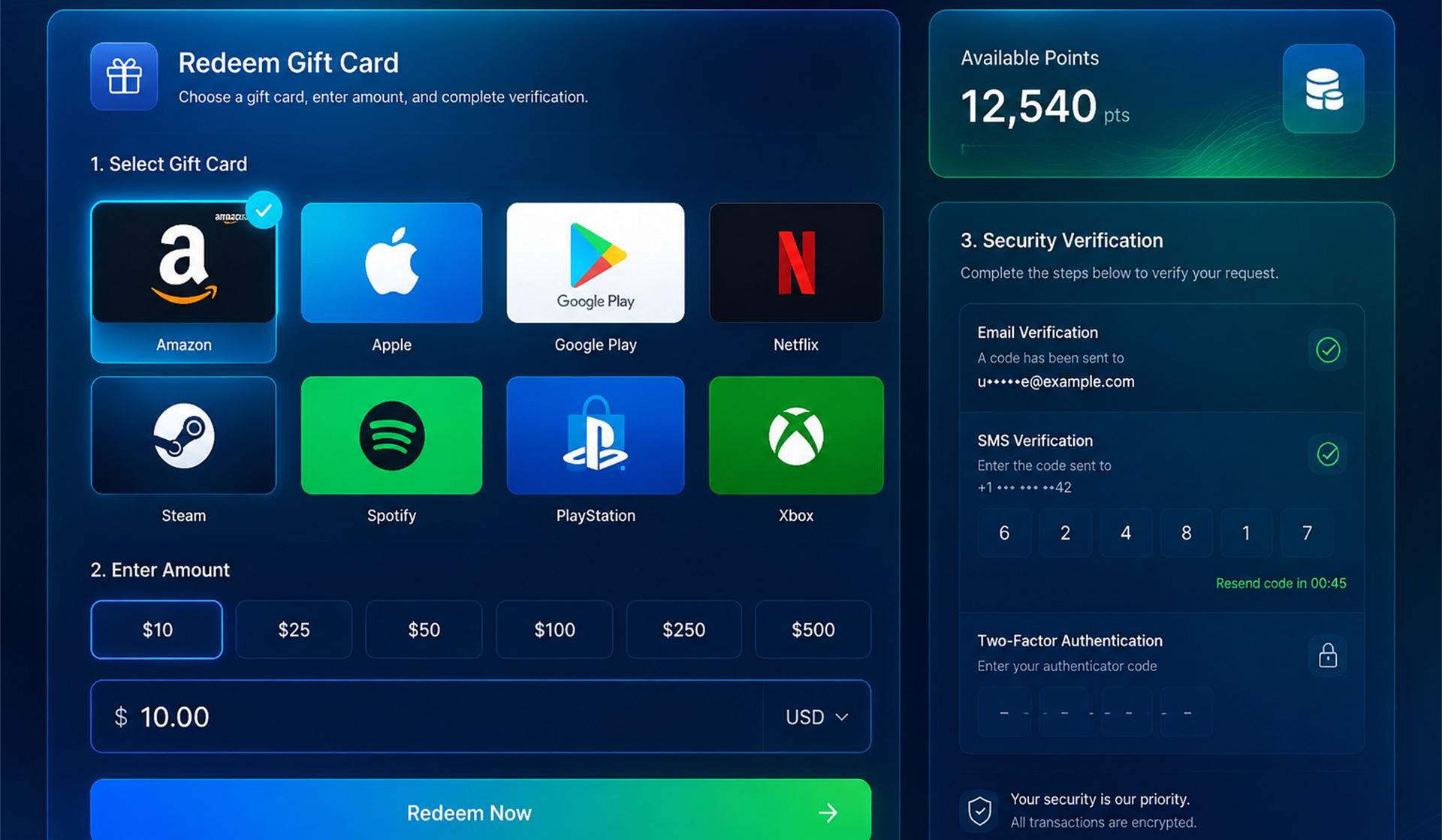
- Go to Finance → Redeem Gift Cards.
- Choose a supported gift card type and enter the USD amount you want to redeem.
- Confirm the points cost and submit the request after security verification.
Tip Gift card redemption uses your current points balance and the platform's active USD-to-points rate.
4
Community & Activities
Join nodes and activities
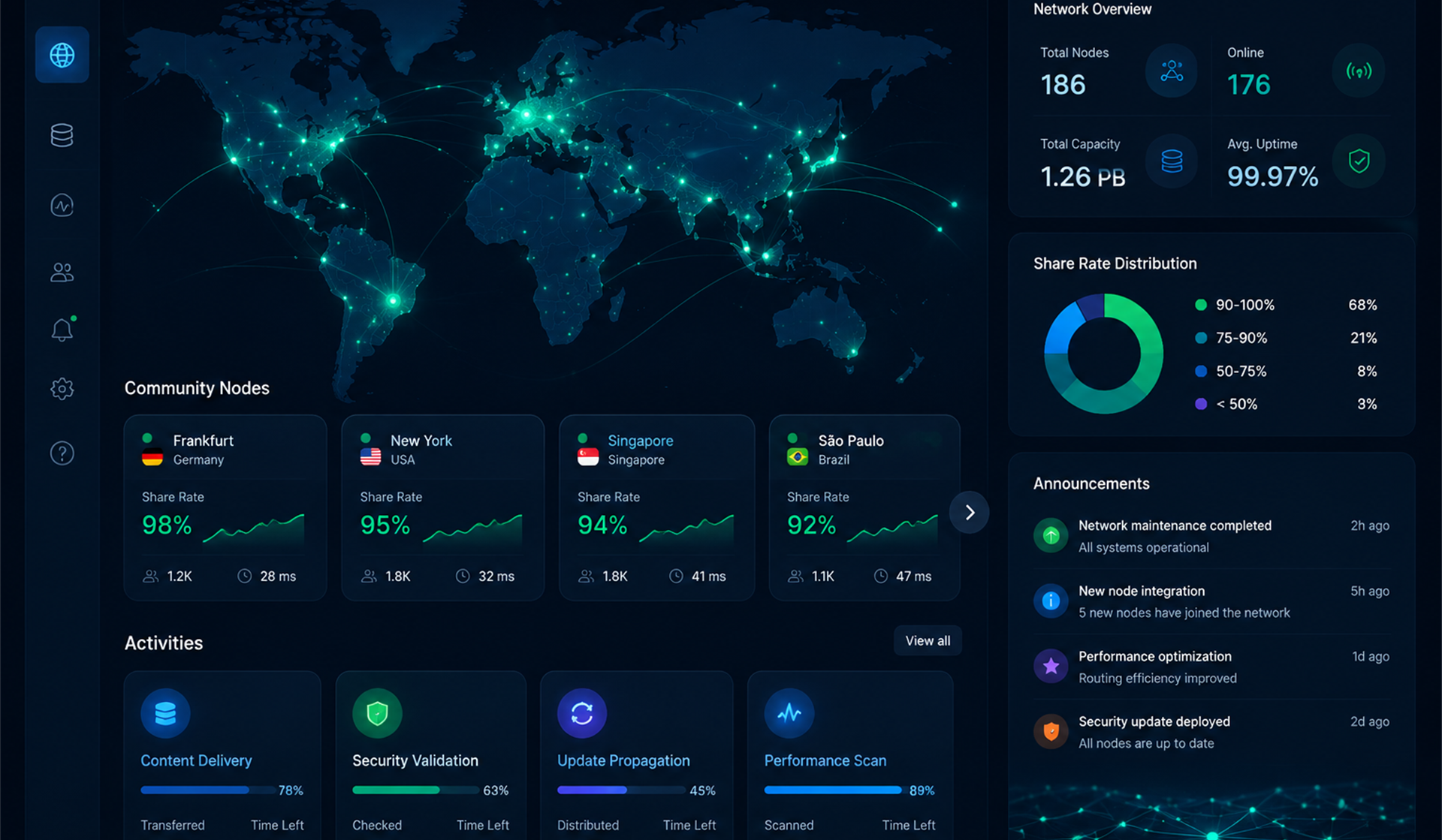
- Open Community → Community Nodes to review available nodes, share rates, and remaining capacity.
- Go to Activity Center to view activity details, track your progress, and claim rewards.
- Complete activity requirements to earn extra rewards and points.
Tip Check announcements and notifications regularly for new activities and node updates.
5
Support Tickets
Get help from support
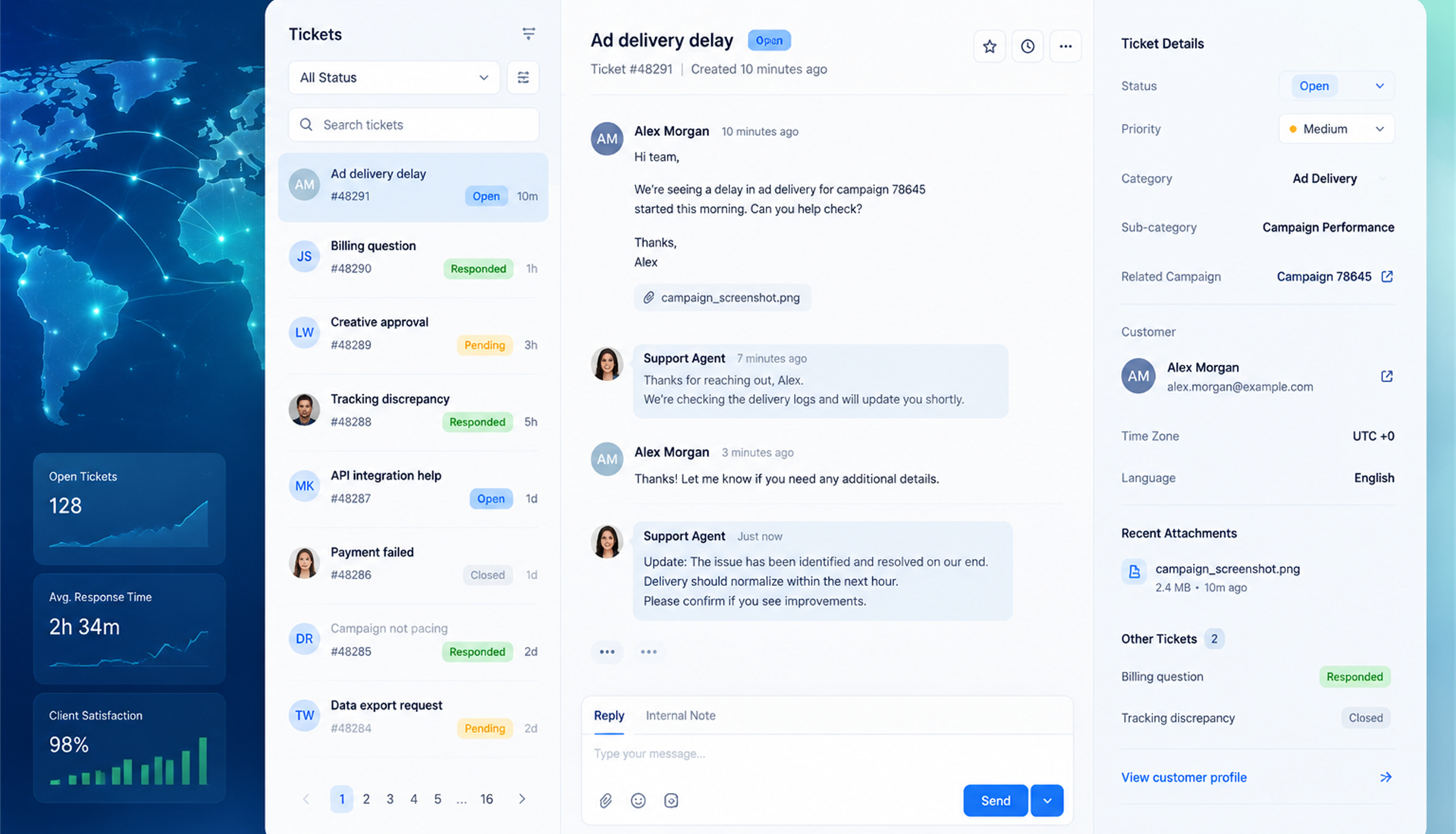
- Go to Support → Tickets to see all your support requests.
- Click Submit Ticket to create a new request with subject and message.
- Open a ticket to view the conversation and reply to support.
Tip Include relevant IDs (transaction, device, or order) in your ticket to speed up resolution.
Frequently asked questions
How do I connect a new node?
Go to Nodes → My Nodes and follow the registration steps. You may need to install the client or enter a node code from the Node Store.
How long does deposit confirmation take?
Deposits are usually credited within a few minutes. If it takes longer, check Transactions for status or contact support.
I forgot my password. What should I do?
Go to the login page and click "Forgot password". The system will send a reset link to your registered email address.
When are daily rewards distributed?
The previous day's rewards are distributed after data validation completes, starting at 2:00 PM (UTC) each day.